
AI Packaging Design Tools Landscape
AI packaging design tools fall into five functional categories, each suited to a specific workflow stage, and founders must understand the print-readiness gap to avoid costly production delays.
The AI packaging design tools landscape is moving faster than most beauty brand founders can track, and the cost of choosing the wrong tool at the wrong stage is not just wasted money — it's wasted weeks when a launch window is closing. Every week brings a new AI generator promising to automate packaging design from concept to production, but the reality is far more nuanced. Without a clear understanding of what these tools can actually do, founders risk spending hours generating beautiful concepts that are structurally impossible to manufacture or legally risky to print.
Evaluating AI packaging tools requires looking past the marketing claims and understanding where each tool belongs in the actual product development workflow.
Why the AI Packaging Tools Landscape Is Hard to Evaluate
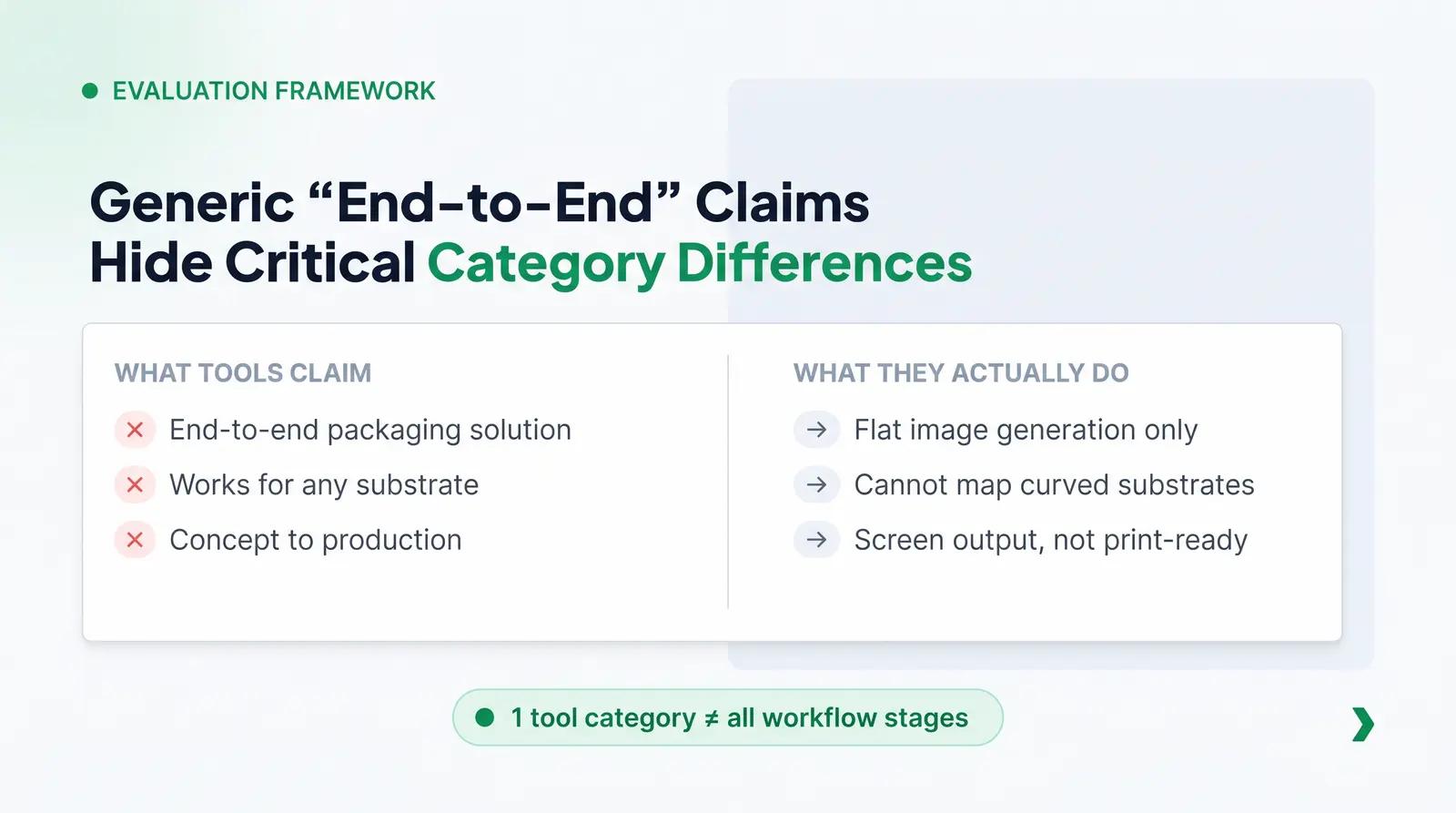
The primary challenge in evaluating AI packaging tools is the signal-to-noise problem: almost every tool claims to be an end-to-end solution. A generic text-to-image generator will market itself as a "packaging design AI," while a 3D rendering platform will claim to handle label creation. For a beauty founder, this creates a confusing environment where tools built for entirely different purposes appear to offer the same capabilities.
Beauty packaging specifically requires a category-based evaluation framework because cosmetic products involve complex substrates. A flat label generator might work for a simple candle jar, but it cannot account for the curved geometry of a lip gloss tube, the print zones on an airless pump, or the wrap-around constraints of a mascara component. Founders need a framework that separates tools into distinct categories, not just a list of the "best" options, to ensure they use the right tool for the right job.
The Five Categories of AI Packaging Design Tools
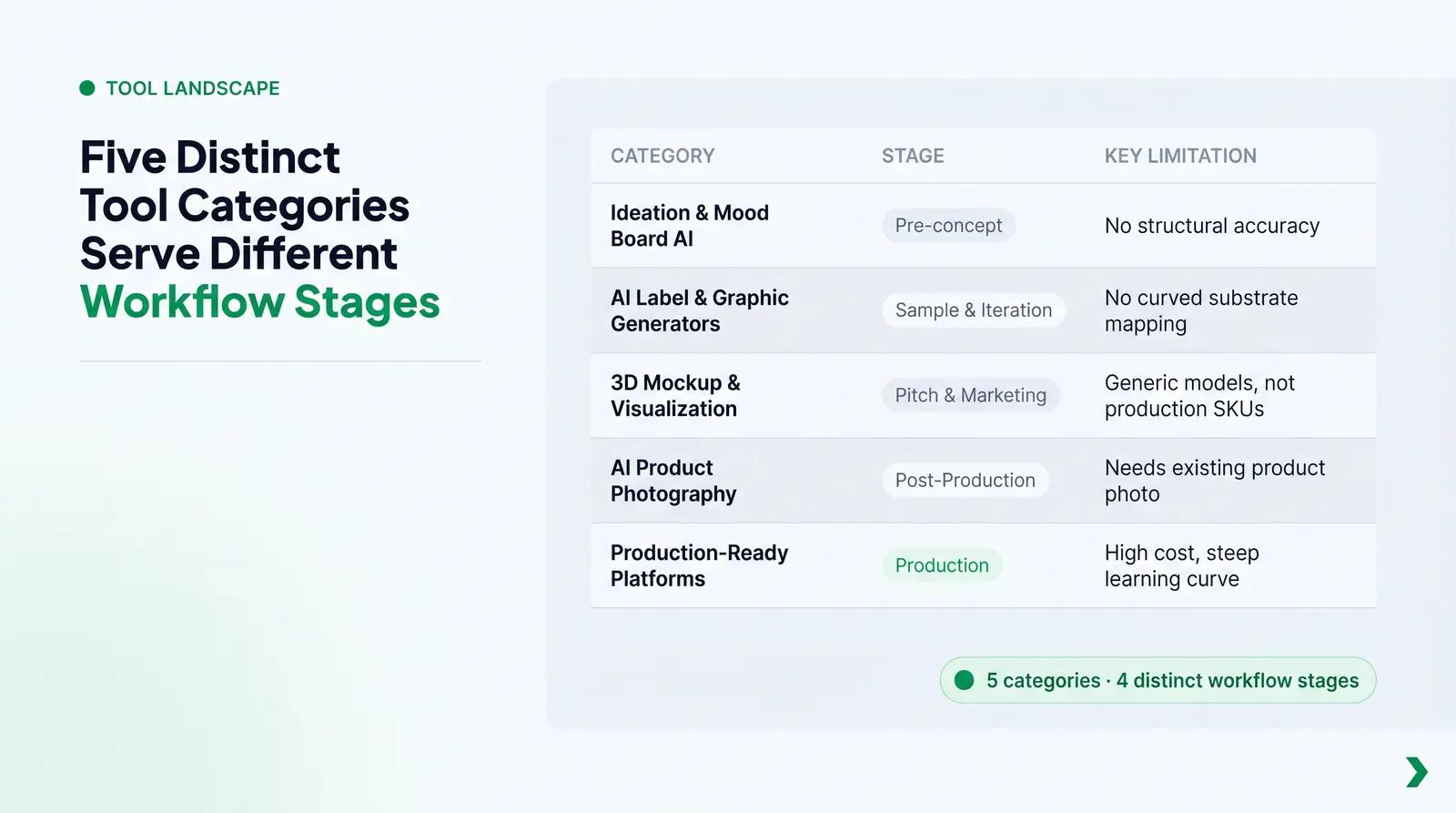
To make sense of the landscape, it is helpful to classify AI packaging tools into five distinct functional categories. Each category serves a specific purpose in the workflow and comes with its own set of limitations.
| Category | Core Function | Workflow Stage | Key Limitation | Best For |
|---|---|---|---|---|
| Ideation & Mood Board AI (e.g., Midjourney, DALL-E 3) | Generates conceptual imagery from text prompts. | Pre-concept / Brand Development | Outputs flat, low-resolution RGB images; no structural accuracy. | Establishing brand aesthetic, color palettes, and visual direction. |
| AI Label & Graphic Generators (e.g., Canva Magic Studio, Adobe Firefly) | Creates flat 2D artwork and label concepts. | Sample & Iteration | Cannot map artwork to curved substrates; often lacks proper bleed/safe zones. | Creating initial label designs for internal review or early sampling. |
| 3D Mockup & Visualization Tools (e.g., Placeit, Smartmockups) | Applies flat artwork to pre-rendered 3D models. | Pitching & Marketing | Models are generic marketing assets, not production-accurate SKUs. | Creating visuals for social media, investor decks, or early website placeholders. |
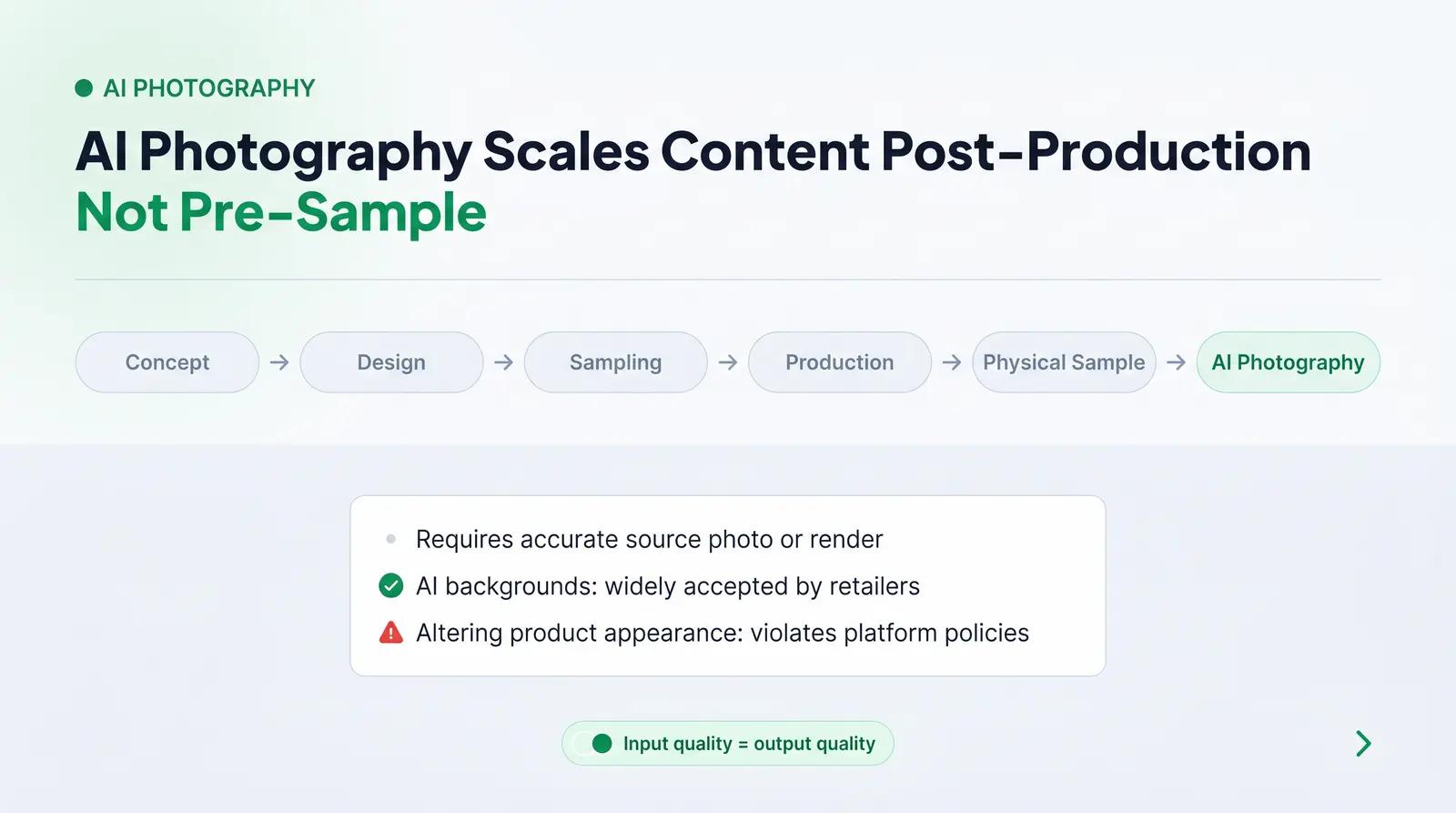
| AI Product Photography Tools (e.g., Photoroom, Pebblely) | Generates lifestyle backgrounds for product photos. | Post-Production Marketing | Requires an existing high-quality product photo or accurate render as input. | Scaling e-commerce product imagery and social media content. |
| Production-Ready Design Platforms (e.g., Esko Studio, Adobe Illustrator + Sensei) | Integrates design with technical specifications (die-lines, CMYK, bleed). | Production | High cost and steep learning curve; requires professional design knowledge. | Finalizing artwork for print and manufacturing. |
The Print-Readiness Gap: The Risk No Tool Roundup Mentions
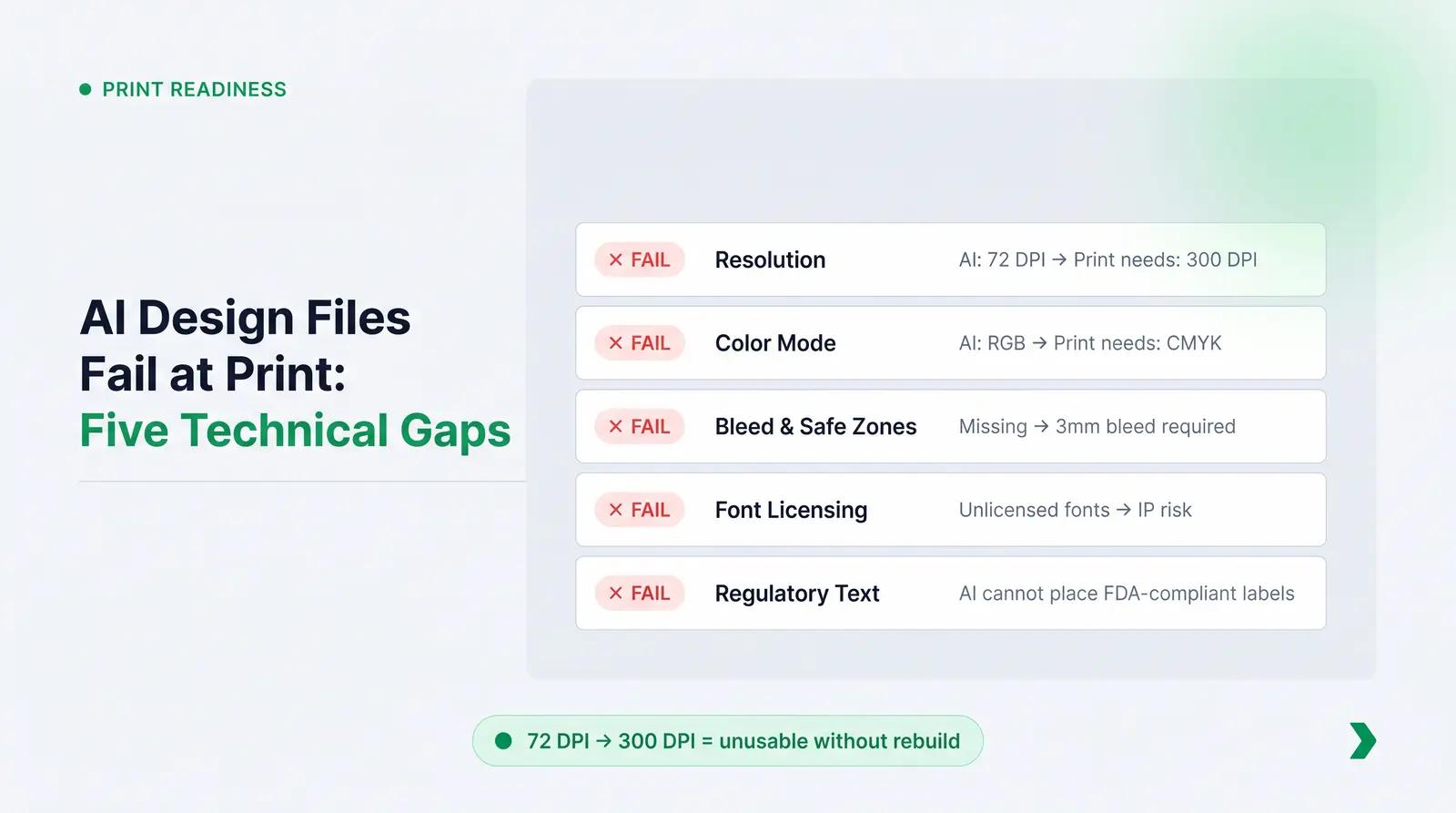
The most significant risk in using AI for packaging design is the print-readiness gap. Most AI label generators and design tools produce visually impressive outputs that are fundamentally not production-ready. This is a structural limitation of the tool category, as these models are optimized for screen output, not offset or flexographic printing.
First, AI image generators default to an output resolution of 72 DPI (dots per inch), which is standard for digital screens but unusable for print. Professional packaging requires a minimum of 300 DPI at the final print size to ensure crisp lines and legible text [1]. Scaling a 72 DPI AI-generated image up to 300 DPI results in blurriness and pixelation.
Second, AI tools generate artwork in RGB (Red, Green, Blue) color mode, whereas commercial printing uses CMYK (Cyan, Magenta, Yellow, Key/Black) [2]. Converting an AI-generated RGB file to CMYK often results in significant color shifts, turning bright neons into dull hues and deep blacks into muddy grays [2].
Furthermore, AI-generated artwork lacks the technical components required for printing, such as bleed areas (typically 3mm or 0.125 inches extending beyond the trim edge) and safe zones (typically 0.0625 inches inward from the trim edge) [3]. AI also cannot reliably manage font licensing, presenting a commercial IP infringement risk if unlicensed fonts are embedded in the generated artwork [4]. Finally, AI cannot accurately place legally required cosmetic labeling information, such as ingredient lists and net quantity, which must meet specific FDA formatting and size requirements (e.g., minimum 1/16 inch letter height) [5].
A Framework for Choosing the Right Tool at the Right Stage
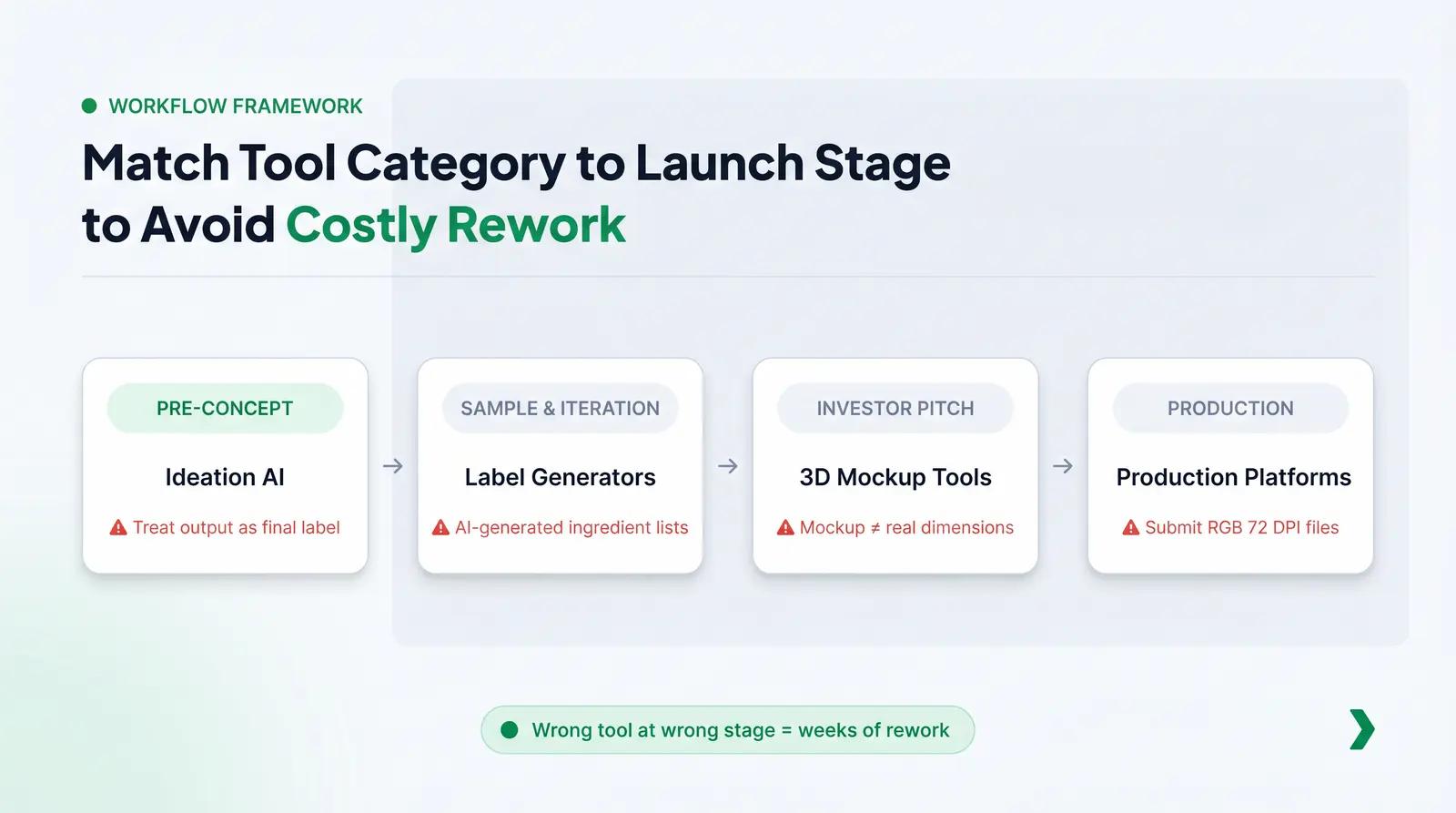
To avoid the print-readiness gap and wasted effort, founders need a practical framework for evaluating AI packaging tools by workflow stage. We recommend the Packaging Workflow Stage Framework to map the right tool category to the appropriate phase of product development.
| Launch Stage | Tool Category Fit | Key Questions to Ask | Red Flags to Avoid |
|---|---|---|---|
| Pre-concept / Brand Development | Ideation & Mood Board AI | Does this tool help communicate the brand's visual identity? | Treating the generated output as a final label design. |
| Sample & Iteration | AI Label & Graphic Generators | Can I easily export the design to share with a professional designer? | Relying on the tool to generate legally compliant ingredient lists. |
| Investor Pitch / Early Marketing | 3D Mockup & Visualization Tools | Does the mockup look realistic enough to convey the concept? | Assuming the mockup dimensions match the actual physical component. |
| Production | Production-Ready Design Platforms | Does the artwork align precisely with the printer-approved die-line? | Submitting RGB, 72 DPI files without bleed to a manufacturer. |
Worked Example: A Lip Oil Brand Going from Concept to Production
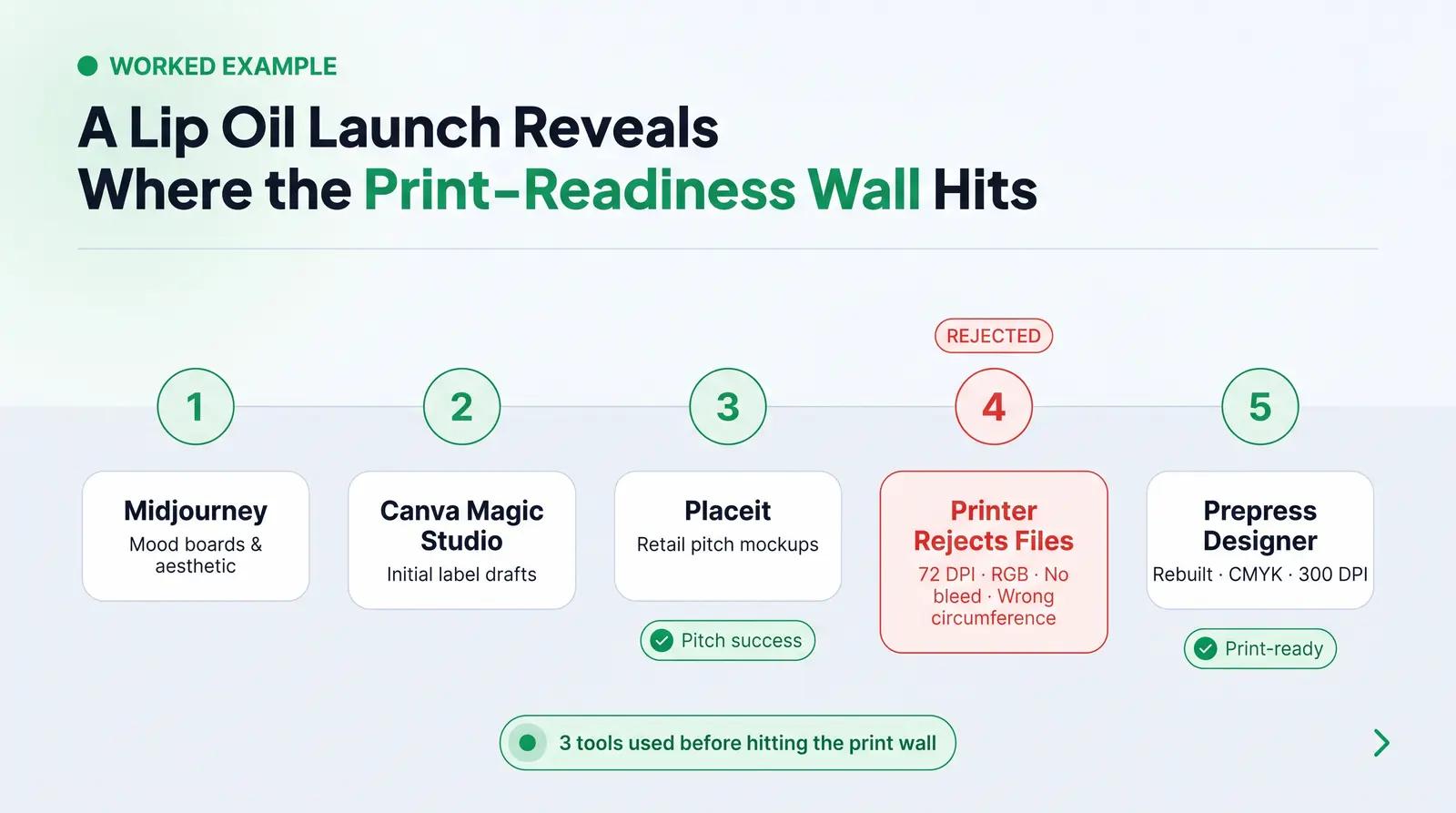
Consider a founder launching a three-SKU lip oil line (sheer tint, clear gloss, tinted balm). She starts her workflow using Midjourney (Ideation AI) to generate mood boards featuring glossy, minimalist aesthetics. Once the direction is set, she uses Canva Magic Studio (Label Generator) to draft initial label concepts with her brand name and logo.
Needing visuals for an upcoming retail buyer pitch, she uploads these flat label designs to Placeit (3D Mockup Tool) to generate images of lip oil tubes. The pitch is successful, and she moves to production.
However, when she sends her Canva exports to a label printer, she hits the print-readiness wall. The printer rejects the files because they are 72 DPI, in RGB color mode, lack a 3mm bleed, and the text is too close to the trim edge. Furthermore, the flat Canva design does not account for the specific circumference of the 15ml lip oil tube she sourced, meaning the text would wrap awkwardly around the back. She resolves this by hiring a prepress designer to rebuild the artwork in Adobe Illustrator using the exact die-line provided by the component supplier, ensuring the final files are CMYK, 300 DPI, and structurally accurate.
Where 3D Mockup Tools Fit — and Where They Stop
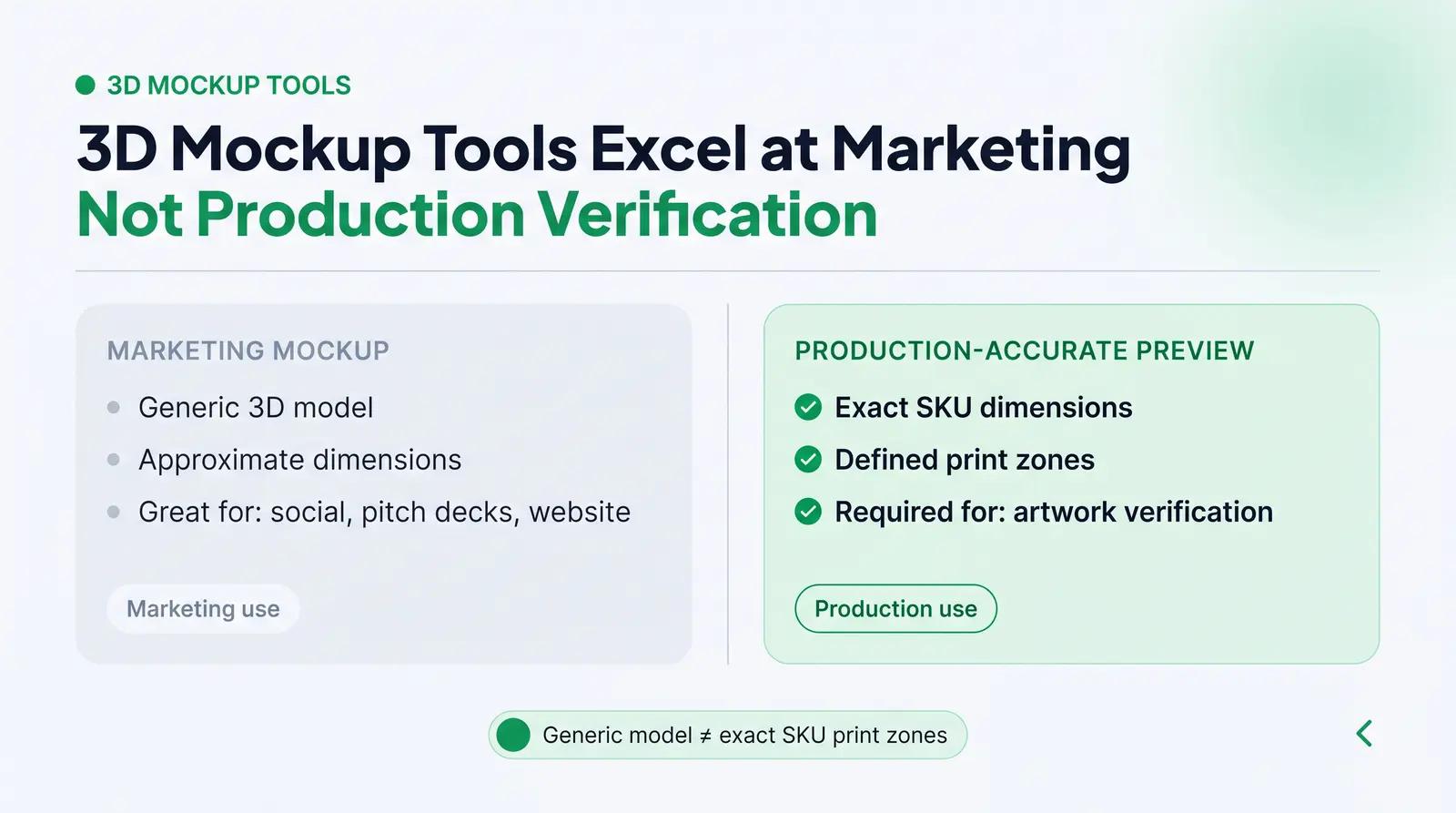
Dedicated 3D mockup generators play a valuable role in the packaging workflow, but their utility stops at production verification. Tools like Canva 3D, Placeit, and Smartmockups are excellent for generating marketing assets, social media content, and pitch deck visuals. They allow founders to visualize their brand quickly without arranging a physical photoshoot.
However, a marketing mockup is not a production-accurate 3D preview. Marketing mockups use generic 3D models that approximate a product category (e.g., a "standard" lotion bottle). They do not reflect the exact dimensions, material thickness, or specific print zones of the actual SKU being manufactured. Relying on a marketing mockup to verify how artwork will look on the final physical product is a common mistake that leads to misaligned labels and distorted graphics during production.
AI Product Photography Tools: Useful, But Understand the Workflow Position
Tools like Photoroom and Pebblely have transformed how brands generate e-commerce imagery by replacing backgrounds and creating lifestyle scenes using AI. For a beauty brand, these tools are highly effective for scaling visual content across social media and product pages.
The key to using these tools successfully is understanding their position in the workflow: they come after you have physical samples or production-accurate renders, not before. AI photography tools require a clean, accurate source image to work from. Furthermore, beauty brands must be mindful of retailer requirements and consumer trust; while AI-generated backgrounds are widely accepted, altering the product itself (such as changing the shade of a foundation or the texture of a cream) can violate platform policies regarding accurate product representation and lead to high return rates.
What to Look for in a Packaging Platform That Integrates Design and Ordering
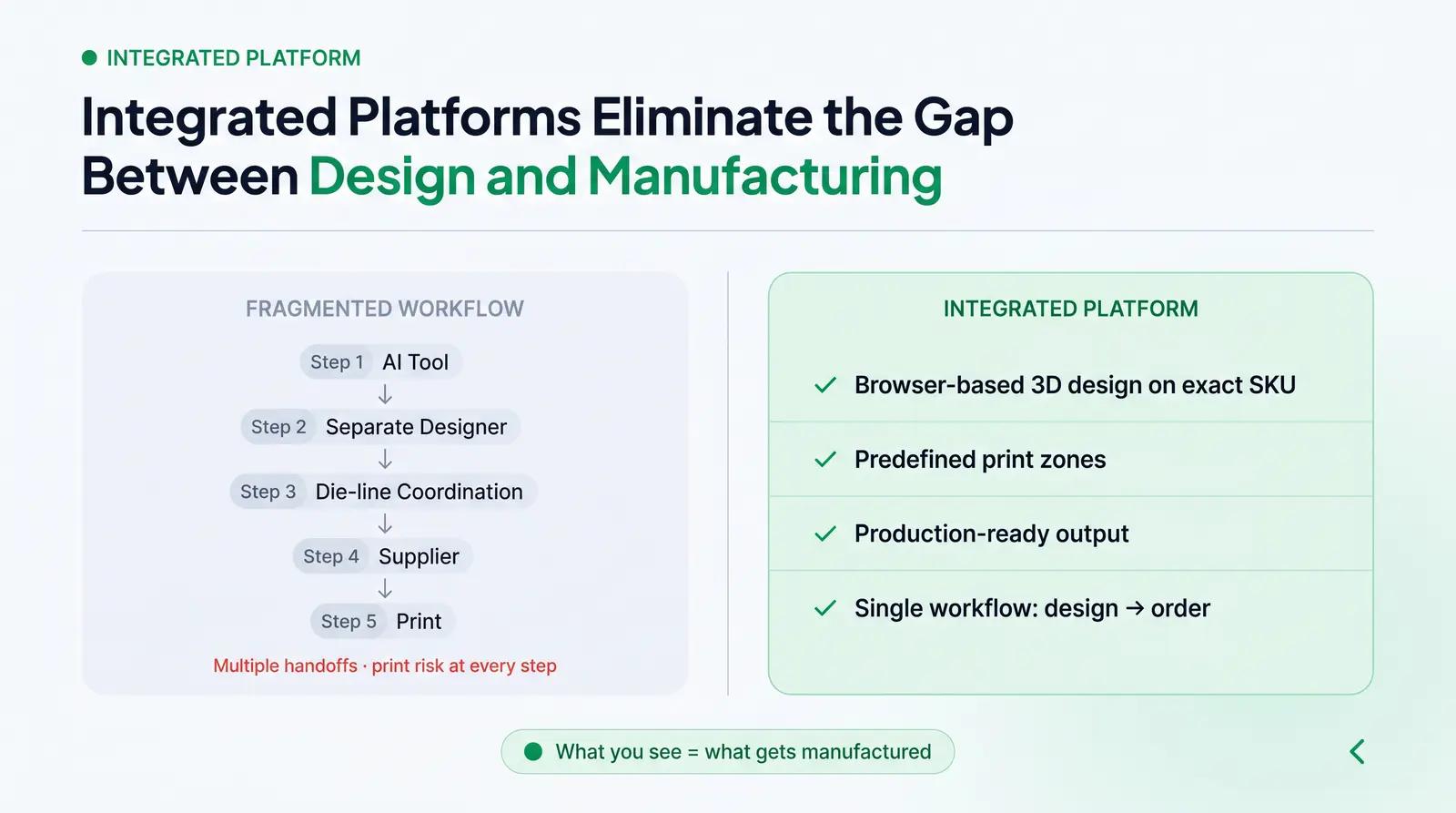
The disconnect between AI design tools and actual manufacturing creates a significant hurdle for indie beauty brands. Standalone design tools leave the founder responsible for translating digital concepts into physical reality, navigating die-lines, print specifications, and supplier coordination.
Platforms like Packfolio close this gap by tying the 3D preview directly to production-ready SKUs with predefined print zones — what the founder sees in the browser is what gets manufactured. By integrating a vetted catalog of cosmetic primary packaging with a browser-based 3D design tool, founders can customize artwork within defined, printable regions and preview the result on a photorealistic 3D model of the exact SKU they are ordering. This eliminates the print-readiness gap and the need to coordinate between disparate design software and external suppliers.
Ready to move from AI-generated concept to production-ready packaging? Browse Packfolio's curated cosmetic packaging catalog and preview your label artwork on a photorealistic 3D model before placing your order →
Frequently Asked Questions
Can I use an AI label generator to create print-ready packaging artwork? No. Most AI label generators output low-resolution (72 DPI) RGB files that lack required bleed and safe zones. Print-ready artwork requires high-resolution (300 DPI) CMYK files aligned perfectly to a manufacturer's specific die-line.
What's the difference between a 3D packaging mockup and a production-accurate 3D preview? A 3D mockup uses a generic model for marketing visuals, while a production-accurate 3D preview uses the exact dimensions and print zones of the specific SKU being manufactured. Only the latter can verify how your artwork will actually print on the physical product.
Which AI packaging design tools work best for indie beauty brands with no design budget? For early ideation and mood boards, tools like Midjourney or DALL-E 3 are cost-effective starting points. For drafting initial label concepts before handing them off to a prepress professional, Canva Magic Studio or Adobe Express offer accessible, user-friendly interfaces.
Do I need a graphic designer if I use AI packaging tools? Yes, particularly for the final production stage. While AI tools are excellent for ideation and drafting, a professional designer or prepress specialist is necessary to rebuild the artwork to exact print specifications, ensure regulatory compliance, and manage color profiles.
How does AI product photography fit into a packaging workflow? AI product photography tools like Photoroom are used post-production to generate lifestyle imagery and e-commerce backgrounds. They require an accurate photo or render of the final product and are not used for designing the packaging itself.
References
[1] Wizard Labels — What Is the Best Image Resolution for Printing Product Labels?, 2024. https://www.wizardlabels.com/blog/best-image-resolution-printing-product-labels/
[2] Revolution Print & Packaging — Why AI Isn’t the Best Resource for Label Design (Especially When It Comes to Print), 2024. https://rppsplash.com/why-ai-isnt-the-best-resource-for-label-design-especially-when-it-comes-to-print/
[3] Columbine Label — Print Ready Art – A Comprehensive Guide, 2024. https://columbinelabel.com/print-ready-art/
[4] Bennett Jones — Understanding IP Infringement Risk in Typeface Use in AI-Generated Content, 2025. https://www.bennettjones.com/Insights/Blogs/Understanding-IP-Infringement-Risk-in-Typeface-Use-in-AI-Generated-Content
[5] U.S. Food and Drug Administration — Summary of Cosmetics Labeling Requirements, 2025. https://www.fda.gov/cosmetics/cosmetics-labeling-regulations/summary-cosmetics-labeling-requirements
[6] PrintingBlue — Packaging Design Preparation Guide: Art Files, Die-Lines, 2026. https://www.printingblue.com/knowledge-center/posts/packaging-design-preparation-guide


